🤖
Advanced Expert Advisors
Professional-grade EAs for MetaTrader 4 and MT5. Algorithms analyze conditions and execute trades with precision.
An AI brain that reads the charts, finds the setup, sets your TP and SL and executes on MetaTrader 4 & 5 — while you watch.

Every tool in EA Nexus is driven by AI — from reading charts to watching your open trades.
Say "Hey Sarah" and trade, analyze and ask questions hands-free.
Upload a screenshot and get a sealed signal with TP and SL.
Live trade and balance tracking with reversal warnings.
Auto-scan the markets and open protected trades in seconds.
We're building the next wave of EA Nexus AI. Here's a sneak peek at what's on the way.
Follow your mentor's trades automatically.
AI that sizes every lot to your account.
Pauses trading before a bad day gets worse.
Describe a strategy in words and let AI build the bot.
Every update pushed this cycle — voice control, neural chart scans, auto trailing stops and a full news engine. Built on the Project X neural stack.
'Hey Sarah' wake-word. Ask anything, execute trades, get spoken replies.
FVGs, Order Blocks, killzones, structure & momentum sub-scores.
Arm SL trails on any api2trade position — locks profit automatically.
1–5 min mode with 8 TP / 4 SL profile tuned for M1 spikes.
Auto-warns on reversals, aggregate P/L, pips & win-rate cards.
8 avatar masks with picture-in-background and raining-dollars FX.
Central bank tone, hot headlines, sentiment scoring for every scan.
No more pending. Pay and it's live the same second.
Live heatmap of hot pairs for London / NY / Asia killzones.
Multi-select from a curated vault of 12,400+ pro strategy presets — combining classic strategies (SMC, ICT, Wyckoff, Harmonics) with every timeframe, killzone and market context. Feed any combination into the chart analyzer.
Why EA Nexus
Built for serious traders, prop firms and mentors who need rock-solid uptime and pro-grade tools.
Professional-grade EAs for MetaTrader 4 and MT5. Algorithms analyze conditions and execute trades with precision.
Multi-select from a vault of 12,400+ pro strategy presets across timeframes, sessions and market contexts.
Instant trade updates pushed to mobile. Monitors multiple pairs 24/7 and delivers high-probability setups.
Low-latency order routing into MT4/MT5 brokers — never miss an opportunity.
Built-in stop-loss, take-profit, trailing stops and disciplined position sizing across every EA.
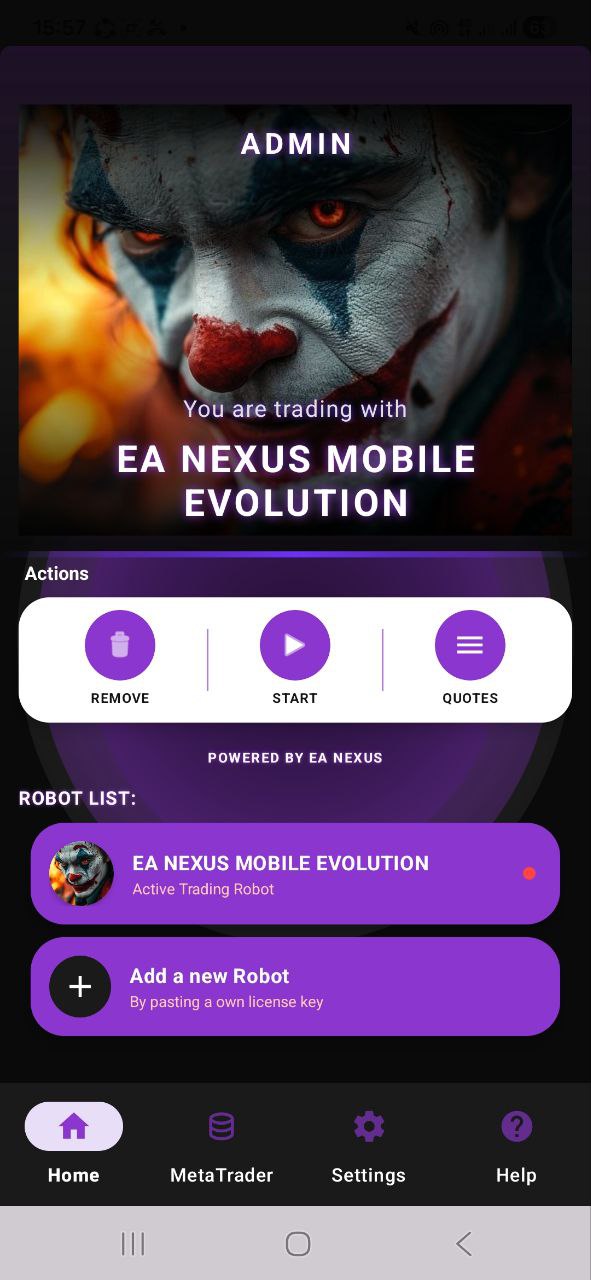
Run the platform from anywhere. Monitor trades, tune EAs, get push notifications on Android & iOS.
Mobile Command Center
Getting Started
Choose what applies to you — we'll walk you from arriving here to fully set up.
Get your mentor code & license key
Your mentor gives you a mentor code and emails your personal license key. Ask your mentor if you don't have them yet.
Buy app access
Buy the EA Nexus App (R600). Optional: Meta API (R150) to connect MetaTrader, and Pro (R400) for unlimited analysis. You pay during client sign-up.
Sign upOpen the web app
EA Nexus is a web app on iOS and Android. Open it in your browser and tap Add to Home Screen.
Open web appActivate your account
Open the app (or Client Login here) → Activate tab → enter name, email, password, then your mentor code and license key.
Sign in
Next time just use Sign In with the same email and password. Forgot it? Tap "Forgot password".
Client LoginConnect MetaTrader & start
In Settings, connect your MT4/MT5 account. Then open Symbols, upload a chart screenshot, tap EXECUTE — X Monitor tracks your trades live.
Marketplace
Browse every mentor's bot, see their email, phone and Instagram, and message them directly.
Open Marketplace →New · Fundamentals
Times shown in your local time (UTC). Signals unlock 15 min before → 60 min after release.
Loading economic calendar…
Simple Process
Get the EA Nexus app or drop the EA files into MT4 / MT5.
Link your MT4/MT5 account — Razor Markets (recommended), Exness, IC Markets, FTMO, Pepperstone & more.
Activate EAs, pick vault strategies, and let the platform trade for you.
Pro Toolkit
Everything you need to scale from one account to a prop-firm portfolio.
Built-in compliance for FTMO, MyForexFunds, The5%ers — daily drawdown caps, news filters, max-lot limits.
Real-time equity curve, win-rate, RR, expectancy and drawdown — broken down per EA and per symbol.
Run any vault strategy against 10 years of tick data in seconds. See ROI before risking a cent.
Mirror every entry, exit and modification to your Telegram in real time. Never miss a fill.
Your EAs run on low-latency NY4 servers 24/7 — no PC required, sub-3ms broker pings.
AES-256 encrypted broker credentials, isolated tenant DB, 2FA login, audit log on every trade.
Bots run 24/7 — but liquidity peaks during these windows.
Sample of the engine's real-time output. Yours stream straight to MT4 / MT5.
Based on average bot performance. Past results don't guarantee future returns.
Testimonials
"EA Nexus changed my trading. The AI chart analysis catches setups I would miss at 3am."
"Went fully automated. Win rate jumped 23% in the first month."
"Passed my $200k FTMO challenge using EA Nexus signals. Risk management is bulletproof."
Questions?
Any MT4 or MT5 broker — Razor Markets (recommended), Exness, IC Markets, FTMO, Pepperstone, FXTM and more.
No. EA Nexus handles entries, stops and take-profits automatically. You set the risk, the bots do the work.
R600/month for full app access — chart analyzer, auto-trading, vault strategies, live mentor signals. Cancel anytime.
EA Nexus never touches your funds. Your money stays in your broker account — we only place trades via the broker API on your behalf.
Get The App
Join the traders running their EAs in the cloud, 24/7.
iPhone & iPad · Web version (not a native app)
Native APK · EA-Nexus.apk
Trading forex with Expert Advisors involves substantial risk of loss. EA Nexus is a trading automation tool and does not guarantee profits. Past performance does not indicate future results. Only trade with capital you can afford to lose. Consult a licensed financial advisor before trading.